
Online content varies in quality! Shield your children from harmful material to safeguard their well-being!
Real Life Examples

(This image is only available in Chinese.)
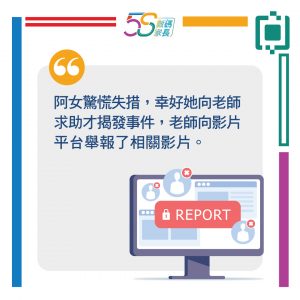
(This image is only available in Chinese.)

(This image is only available in Chinese.)
Beyond the terrifying Momo challenge, foreign countries have also witnessed the rise of the “Blue Whale” challenge, which entices teenagers to take their own lives. Moreover, the digital realm abounds with explicit and violent material. As parents, how can we protect our children from such detrimental influences?’
Article Content:
- Common Types of Harmful Content Online
- How to Deal with Harmful Content: Guidance, Filtering, Reporting
- Parental Control on Electronic Devices
- Simple Tips and Tricks
1. Common Types of Harmful Content Online
The internet offers a wealth of information, yet not all content is suitable for children. Should children browse online unsupervised by adults, they risk encountering harmful material. Commonly encountered harmful content includes advertisements or information involving pornography, violence, gambling, or drugs. It may also include material promoting illegal activities, such as online copyright infringement or aiding the spread of computer viruses.
Young children may lack the ability to discern between appropriate and inappropriate online content, and they often lack the experience to handle malicious treatment. If they encounter harmful material online without timely guidance or correction, their cognition and values may become negatively influenced over time.
Reference: ‘Net Surfing with Fun Together’ Parent Seminar (5): How to Guard Children against Internet Addiction and Unhealthy Information (in Chinese only)
2. How to Deal with Harmful Content: Guidance, Filtering, Reporting
Guidance

(This image is only available in Chinese.)
- Keep a Close Eye on Your Child's Emotions and Behaviour
- Parents should regularly observe whether their child exhibits unusual reactions after using the internet or watching videos, such as avoiding parents, panicking and crying, feeling low, or becoming overly excited. Parents may also note if their child responds hesitantly during conversations. If the parent-child relationship is generally good, parents may directly ask their child, giving them an opportunity to express themselves.
- Offer Timely Reassurance and Guidance
- Should children inadvertently encounter inappropriate content, parents should first calm them before initiating guidance. Parents should avoid blaming their children and instead teach them to seek immediate help from parents or teachers should they encounter inappropriate content again. As harmful online material cannot be entirely eradicated, establishing sound values and fostering media literacy in children is the long-term solution. This includes teaching them how to respond to violent or sexual imagery, equipping them to filter such content independently in future.
Filtering
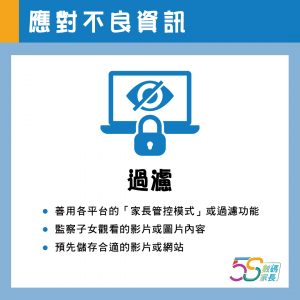
(This image is only available in Chinese.)
- Make Good Use Of The Filtering Features On Video Platforms, Browsers And Social Media Sites
- Many video platforms and browsers now offer child-friendly interfaces, such as YouTube. These versions only display content suitable for young viewers. Parents can review their children's “liked/disliked videos” history and user comments to understand what their children are watching and whether any inappropriate content is present. Parents may also utilise the “Watch Later” feature to pre-save suitable videos for their children to enjoy.
- Guide to Enabling YouTube's 'Restricted Mode'
- Guide to Enabling Google's 'Safe Search Filter'
Beyond video platforms, numerous communication platforms incorporate filtering features, enabling parents to monitor their children's interactions with friends. For instance, Facebook's 'Messenger Kids' allows parents to oversee their young children's friendships, temporarily deactivate their accounts, and remove inappropriate photos.
Reference:Messenger Kids
Reporting
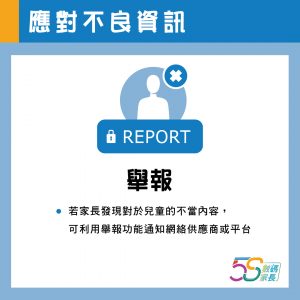
(This image is only available in Chinese.)
Numerous internet service providers, such as Google, offer reporting functions. Should parents discover inappropriate content or behaviour concerning children, they may utilise these reporting functions or contact the internet service provider.
3. "Parental Control" on Electronic Devices
Parents may configure parental control settings on their children's mobile devices, including platforms such as YouTube, Google, iPhone, and iPad. Mobile devices running Apple iOS and Android systems also permit parents to activate parental control modes, setting age-based download permissions to prevent children from installing applications intended for older age groups.
- Enabling 'Content & Privacy Restrictions’ Settings on iOS (Apple)
- Enabling 'Parental Controls' on Android Devices
Reference: ‘Net Surfing with Fun Together’ Parent Seminar (5): How to Guard Children against Internet Addiction and Unhealthy Information (in Chinese only)
Additionally, parents may install dedicated parental control applications directly on mobile devices to filter out inappropriate websites and restrict children's access to specific pages and applications.
Suggested Filtering Software Available for Parents
4. Simple Tips and Tricks
- Employ filtering software to block websites unsuitable for children, including those containing pornography and violence.
- Configure restrictions on specific applications and functions within your child's mobile devices. You may also adjust settings concerning ‘inappropriate content for minors,’ ‘purchasing and downloading items,’ and ‘privacy rights.’
- Should your child disclose encountering peculiar or unsettling material online, refrain from reprimanding or penalising them. Instead, utilise this opportunity to instruct them on how to manage and filter such information. Monitor your child for signs of physical discomfort and ensure they maintain correct posture during daily activities.