
If you received an email stating “Your account has been compromised. Please update your user information immediately.” What should you do?
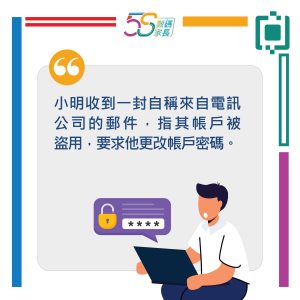
(This image is only available in Chinese.)
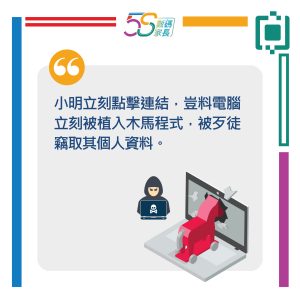
(This image is only available in Chinese.)
(This image is only available in Chinese.)
How much of the email we receive daily is spam, and how much is scam? Faced with an ever-changing landscape of emails, how can we identify scam emails to prevent personal data theft?
Article Content:
- The Difference Between Spam and Scam
- How to Identify Phishing Attacks?
- Types of Phishing Attacks
- What to Do When You Receive a Phishing Email
- Steps to Take After a Successful Phishing Attack
- Tips and Tricks to Guard Against Scams
1. The Difference Between Spam and Scam
Spam email, also known as junk mail, is a form of unsolicited electronic communication typically sent to users' inboxes without their consent. It can be categorized as benign or malicious.
Benign spam refers to non-malicious emails whose sole purpose is to promote products, though the sender may be questionable. Malicious spam, also known as scam emails or phishing emails, often contains harmful content aimed at stealing user data, spreading malware such as Trojan horses, or obtaining money fraudulently.
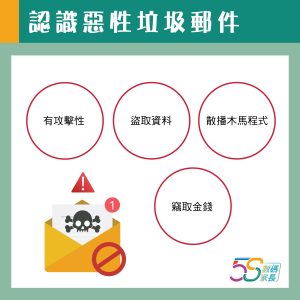
(This image is only available in Chinese.)
2. How to Identify Phishing Attacks?
Although modern email systems can assess message credibility and automatically categorize suspicious emails as “spam,” some phishing attempts still slip through the cracks into legitimate inboxes. When cleaning out your spam folder, how can you identify phishing attempts and avoid being scammed?
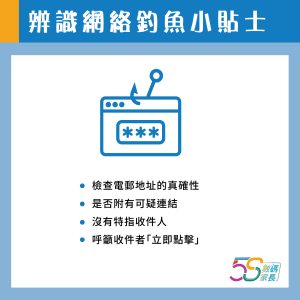
Verify the Email Address's Authenticity
Some emails claim to be from well-known companies like Google, Facebook, or Apple. Always verify the email address's authenticity. Phishing emails often make subtle alterations, such as apple.ru, faceboook.com, or googgle.com.
Check for Suspicious Links
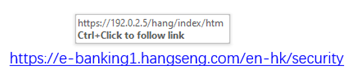
Many phishing emails contain links urging users to click and perform actions. If you suspect an email's authenticity, hover your mouse cursor over the link to see if the displayed URL matches the link's description. Never click the link!
Check the Email's Grammar
Business organisations take great care with external communications. Whether promotional or critical, emails undergo proofreading and contain no typos or grammatical errors. Spotting mistakes often signals malicious spam.
Call for Action
Phishing emails often urge recipients to act immediately, such as “Click now/Open attachment to claim your reward or avoid account issues,” luring them into the trap.
No Specific Recipient
To create a personalized feel, companies generally use the user's name in the email salutation. If an email appears to be from a company you know but begins with generic terms like “Dear User/Sir/Madam,” it is likely phishing.
(This image is only available in Chinese)
3. Types of Phishing Attacks
Phishing attacks come in many forms, extending beyond traditional email scams to major social media platforms, messaging apps, phone calls, and text messages.
Smishing
Common on mobile devices, these messages often contain links or instruct users to call a number to resolve account issues.
Vishing
After stealing an account, hackers use it to send “promotional” messages to the victim's contacts, then proceed to scam them.
Pharming
This technique involves redirecting users to fraudulent websites. Hackers infiltrate a victim's computer's Domain Name System (DNS) cache using malicious software, covertly modifying website HTML files to redirect victims to fake banking sites and steal their personal information.
4. What to Do When You Receive a Phishing Email
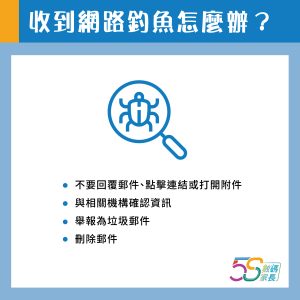
Phishing tactics are constantly evolving, making it difficult to eradicate them completely. When you receive a suspicious email or one you suspect is phishing, try the following approaches:
- Never reply to the email, click any links, or open attachments.
- If the email appears to be from someone or a company you know, verify the information with the relevant person.
- Report the email as spam.
- Block the email address.
- Delete the email.
(This image is only available in Chinese.)
5. Steps to Take After a Successful Phishing Attack
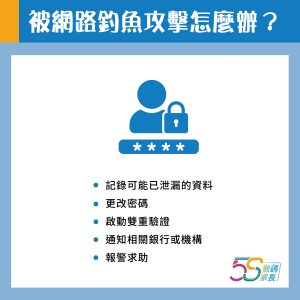
- Carefully document the details of the attack, including any potentially compromised data, passwords, etc.
- Change your user password and passwords for any other accounts using the same password.
- If possible, enable two-factor authentication.
- Notify relevant banks or institutions.
- Contact law enforcement for assistance.
(This image is only available in Chinese.)
6. Tips and Tricks to Guard Against Scams:
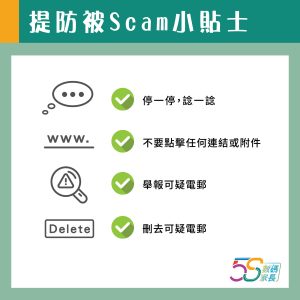
- Stop and think
- Don't click any links or attachments
- Report suspicious emails
- Delete suspicious emails
(This image is only available in Chinese.)