
What should one do if my child becomes addicted to using mobile electronic devices, or if pornographic information appears in pop-up windows on web pages?
Real Life Examples
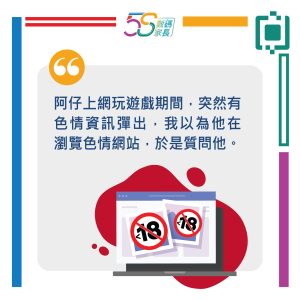
(This image is only available in Chinese.)
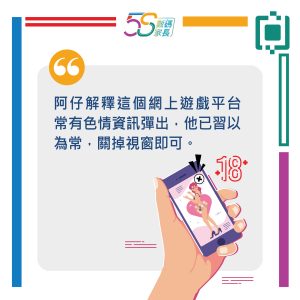
(This image is only available in Chinese.)
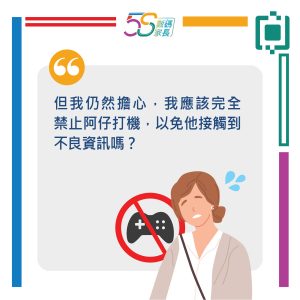
(This image is only available in Chinese.)
Article Content:
- What is Parental Control?
- Why use Parental Control?
- Which platforms support Parental Control?
- How to use Parental Control and communicate with your children?
- Recommended Parental Control applications
- Monitoring tips and tricks
1. What is Parental Control?
Parental Control enables parents to restrict the content their children view, commonly found in smart televisions, computers, gaming consoles, tablets, and similar mobile electronic devices and software. Through this feature, parents can filter information and websites unsuitable for their children's age group.
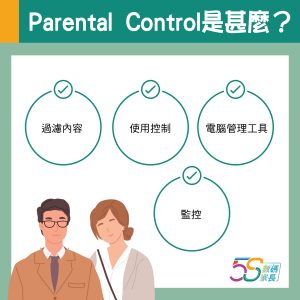
Common categories of Parental Control: Content Filtering, Usage Controls, Computer Management Tools, Monitoring.
- Content filtering: Restricts children from viewing age-inappropriate material
- Usage controls: Limits usage time or specific actions, such as making purchases
- Computer management tools: Enforces the use of designated software
- Monitoring: Tracks device location and activity
(This image is only available in Chinese.)
2. Why use Parental Control?
Reducing Exposure to Pornographic Content
According to last year's survey by Save the Children Hong Kong, 40% of the over 1,300 children and adolescents interviewed reported involuntarily exposed to explicit material, sexual solicitation, or sexual experiences online. If children's internet-enabled devices feature parental controls, their online activities and content access require parental permission. This allows adults to pre-screen material, thereby reducing the likelihood of children encountering explicit content or facing sexual harassment.
Reference: Save the Children releases survey findings on “Hong Kong Kids Online”
Balancing Study and Leisure Time
Many children use ‘doing homework’ as an excuse to play video games, watch videos or browse social media. Some parental control systems can restrict or block specific websites, as well as limit device usage time. This helps children manage their leisure time effectively while avoiding confrontations that might arise from confiscating their devices.
Monitoring Children's Online Activities
Concerned about impulsive in-app purchases or cyberbullying? Parental control devices enable parents to clearly understand their children's online activities, reducing instances of cyberbullying and reckless spending.
3. Which platforms support Parental Control?
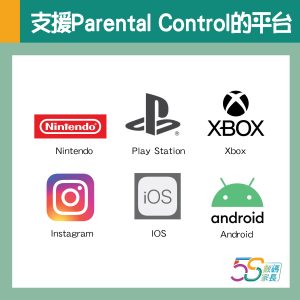
In response to parental concerns regarding children's screen time and online safety, numerous popular social media platforms, web applications, and gaming services now incorporate parental control settings at no cost. For guidance on implementation, parents may consult the respective platforms' official websites.
• Social Media: Instagram
• Gaming: Play Station, Xbox, Nintendo, Wii,
• Computers: Windows, ChromeOS
• Mobile Devices: Apple iOS, Mac OS X, Android operating system
(This image is only available in Chinese.)
4. How to Use Parental Control and Communicate with Your Children?
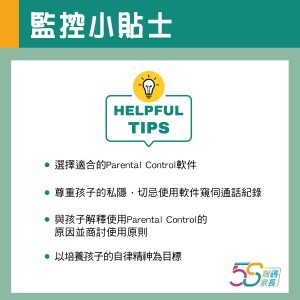
Upon hearing the term ‘monitoring,’ both children and adults may find it difficult to accept. Therefore, before utilising Parental Control, parents must first explain to their children what Parental Control entails, including how it operates and the scope of monitoring.
Emphasise That It Does Not Infringe Upon Children's Personal Privacy
Children often worry that parents will use such software to track their movements or access their private messages. Parents can therefore explain their intentions for using parental controls and promise not to infringe upon their personal privacy.
Establish Usage Principles Together
If parents unilaterally impose restrictions, children are bound to feel resentful. Parents should therefore first negotiate usage times and permissible websites with their children, respecting their wishes to strike a balance. It is crucial to avoid making children feel that parental controls are a shackle.
Aiming to Foster Self-Discipline
While parental controls may temporarily alleviate parental concerns, they are merely a stopgap measure. Parents should utilise these tools as supplementary aids to cultivate their children's self-discipline, helping them develop habits that avoid excessive reliance on electronic devices or overuse of social media platforms.
5. Recommended Parental Control Applications
In addition to the built-in parental control features on devices or within apps, parents may also consider using the following free online safety tools for children.
-
Google Family Link
- Connects a parent's mobile device to their child's, enabling parental supervision of the child's activities via the app. This includes: monitoring app installations, setting usage time limits, and approving permissible websites or content.
- Reference: Get started with Family Link - Google For Families Help
-
Microsoft Family Safety
- Beyond filtering content across 18 languages and restricting usage hours, parents can establish a contact list to limit communication with unauthorised individuals, thereby reducing children's exposure to strangers.
- Reference: Set up Microsoft Family Safety - Microsoft Support
-
Qustodio
- Enables time limits and filters inappropriate content and websites. The software sends daily and weekly usage reports to parents via email. However, the free version is limited to pairing with one device.
- Reference: Parental control and digital wellbeing software | Qustodio
6. Parent Control Tips and Tricks
(This image is only available in Chinese.)