
In the digital age, protect yourself with passwords!
In this era of digitalization, many online platforms and tools require password-protected access for management—including social media for communication, mobile phones, email, and banking/financial services like credit cards, virtual banks, and online stock trading. It's easy to imagine that in the future, even more critical information will be managed digitally, making the ability to set strong passwords increasingly vital.
Real Life Examples
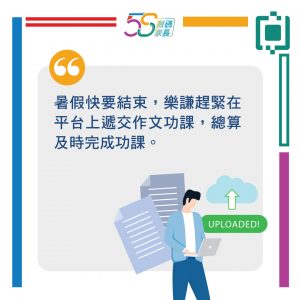
(This image is only available in Chinese.)
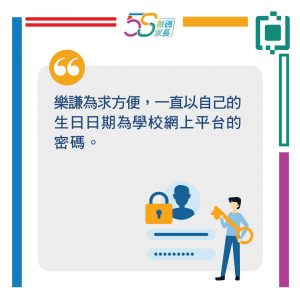
(This image is only available in Chinese.)
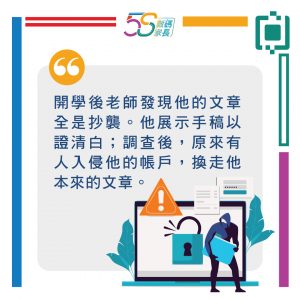
(This image is only available in Chinese.)
Article Content:
- Why use passwords to protect accounts?
- How to create a strong password?
- Is it safe to use public Wi-Fi networks?
- What are cookies?
- Simple tips and tricks
1. Why Use Password to Protect Account?
Employing a robust password to safeguard your account not only prevents the leakage of vital personal details such as your address, telephone number, or even credit card information, but also averts the risk of your account being compromised. This safeguards against the dissemination of false or unlawful information that could lead to misunderstandings, or even inadvertently landing you in legal trouble.
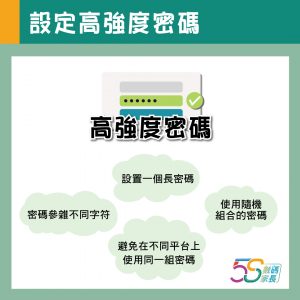
2. How to Create a Strong Password?
To create a strong password, consider the following four key principles:
(This image is only available in Chinese.)
3. Is it safe to use public Wi-Fi networks?
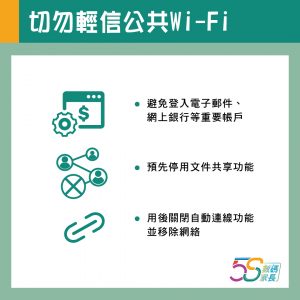
Have you ever considered that some seemingly reliable Wi-Fi hotspots might be counterfeit? Connecting to and using these networks could leave your data vulnerable to malicious actors! Furthermore, using public Wi-Fi leaves digital footprints—such as web browsing history, online transactions, or location data—which also carry risks of data breaches. If you urgently need to use public Wi-Fi, avoid logging into important accounts such as email or online banking. Pre-emptively disable file-sharing functions like AirDrop or Bluetooth. Where necessary, employ a VPN or cybersecurity application to safeguard personal data. After using public Wi-Fi, remember to disable automatic connection settings and remove the network from your device.
(This image is only available in Chinese)
Reference: SmarTone - Cybersecurity
4. What are cookies?
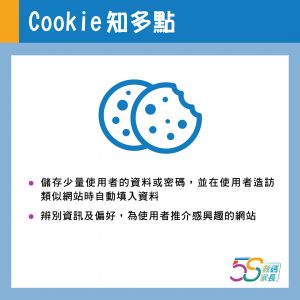
Cookies are small files created when web users visit websites, enabling servers to recognise users and making web browsing smoother and more convenient. These small files store limited user data or passwords, allowing information to be automatically filled in when users visit other similar websites. Cookies also identify stored information and preferences, subsequently enabling browsers to recommend relevant websites to web users.
Using cookies eliminates the hassle of repeatedly entering login details on websites and facilitates easier access to desired information. However, conversely, the data recorded by cookies also reveals users' online activities and preferences. To prevent data leakage, the simplest approach is to disable cookies entirely or block third-party cookies, thereby stopping any browser from transmitting cookies to external parties.
(This image is only available in Chinese)
Reference: Cloudfare - What are Cookies?
5. Simple tips and tricks
- Avoid using the same set of username and password across different platforms, as compromising one account could lead to exposure across all others.
- Should a compromised account involve payment systems or credit cards, promptly notify your bank or relevant financial services provider.
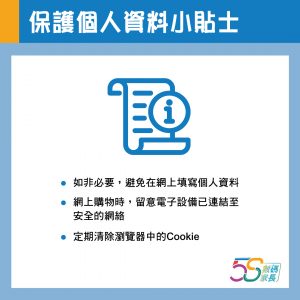
- Unless absolutely necessary, refrain from entering personal details online to prevent data being recorded or even stolen. Should you need to provide personal information online, opt for encrypted transmission methods.
- When shopping online, ensure your mobile device is connected to a secure network.
(This image is only available in Chinese.)